A comprehensive digital document signing platform enabling users to upload PDF templates, design signature fields, assign recipients, and manage complete document workflows with advanced security features.

PROJECT OVERVIEW

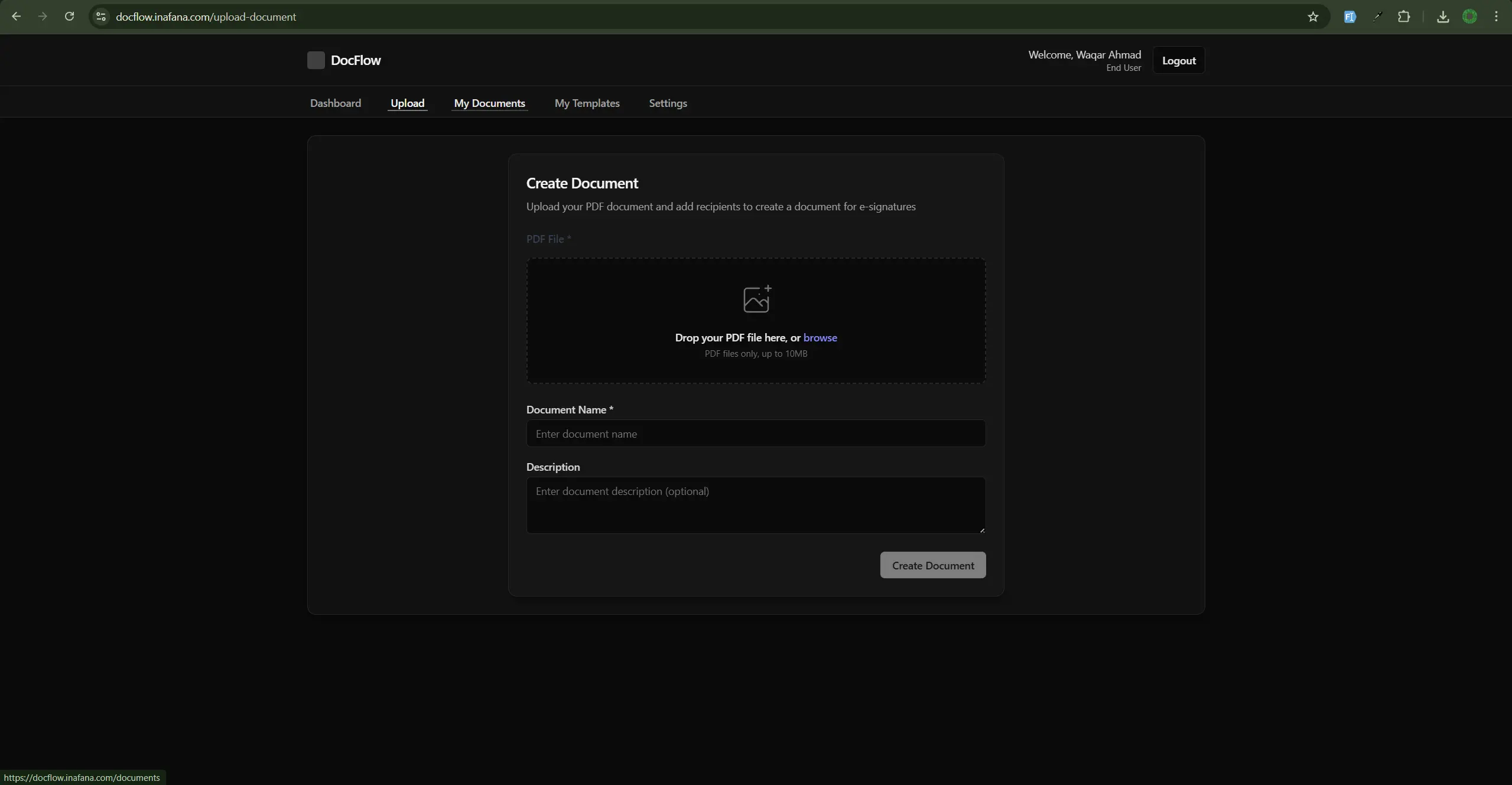
DocFlow is a full-featured electronic signature platform designed to streamline document signing workflows for businesses and individuals. The platform eliminates the need for physical document printing, scanning, and manual signature collection by providing a complete digital solution for document management and e-signature processes.

KEY FEATURES

  • Template Management - Upload and organize PDF templates with custom field placement for signatures, dates, and text inputs
  • Document Workflow - Create documents from templates, assign multiple recipients, and track signing progress in real-time
  • Digital Signature Fields - Interactive PDF editor allowing precise placement of signature, date, and text fields on documents
  • Recipient Management - Assign specific signing roles to recipients with email notifications and submission tracking
  • Advanced Authentication - Multi-factor authentication with email OTP and Google Authenticator support
  • Admin Dashboard - Comprehensive administrative interface for user management, activity logs, and system oversight

The platform provides a seamless experience from template creation to document completion. Users can upload PDF templates, design custom signature fields using an intuitive interface, and send documents to recipients who can sign electronically. The system tracks document status throughout the workflow, from draft to sent to completed, ensuring full visibility into the signing process.

TECHNICAL ARCHITECTURE

Built with a modern tech stack, DocFlow features a RESTful API backend powered by Node.js and Express, with PostgreSQL as the database layer managed through Sequelize ORM. The React-based frontend provides a responsive user experience with Redux Toolkit for state management and Tailwind CSS for styling. The platform integrates PDF manipulation libraries for field placement and document generation, ensuring professional-quality output.

SECURITY & COMPLIANCE

THE REQUIREMENT

The client needed a comprehensive electronic signature solution that could replace traditional paper-based document signing processes. The platform required the ability to handle complex document workflows with multiple signers, maintain security standards, and provide an intuitive user experience for both document creators and signers.

PRIMARY REQUIREMENTS

  • PDF Template Management - Ability to upload PDF documents as reusable templates with custom metadata and organization
  • Interactive Document Design - Visual interface for placing signature fields, date fields, and text inputs on PDF templates with precise positioning
  • Multi-Recipient Workflows - Support for assigning multiple recipients to documents with different signing roles and sequential or parallel signing flows
  • Email Notifications - Automated email system to notify recipients when documents require their signature
  • Document Status Tracking - Real-time tracking of document status (draft, sent, completed) with visibility into recipient submission status
  • Secure Authentication - Robust user authentication with email verification, optional MFA, and Google OAuth integration

SPECIFIC FUNCTIONAL REQUIREMENTS

  1. Users must be able to upload PDF files up to 10MB as templates
  2. Template designer must support drag-and-drop or click-to-place field positioning on PDF preview
  3. System must support multiple field types: signature, date, text input, and checkbox
  4. Documents created from templates must maintain field positions and recipient assignments
  5. Recipients must receive email notifications with secure links to access and sign documents
  6. All document submissions must be stored with timestamps and user information
  7. Admin users must have access to user management, activity logs, and system-wide document overview
  8. System must support document download in PDF format after completion

SECURITY REQUIREMENTS

  • All passwords must be hashed using industry-standard algorithms (bcrypt)
  • JWT tokens must be used for session management with configurable expiration
  • Email verification required for all new user registrations
  • Optional multi-factor authentication with support for email OTP and TOTP (Google Authenticator)
  • File upload validation to prevent malicious file uploads
  • Rate limiting on authentication endpoints to prevent brute force attacks
  • Comprehensive audit logging of all user activities

USER EXPERIENCE REQUIREMENTS

The platform needed to provide an intuitive interface that requires minimal training. Document creators should be able to design templates quickly, and recipients should be able to sign documents with minimal friction. The system should provide clear status indicators, progress tracking, and responsive design for mobile and desktop access.

CORE FEATURES

  • icon Secure authentication with JWT, Google OAuth, and MFA
  • icon Email verification, OTP-based login, and account recovery
  • icon PDF template upload, design, and document creation
  • icon Role-based, multi-recipient document signing workflows
  • icon Digital signature placement, tracking, and audit trails
  • icon Email notifications and real-time document status updates
  • icon Admin dashboard with user management and activity logs
  • icon Secure file storage with validation and PDF preview/download
  • icon Responsive, modern UI with extended session support

Our Similar Projects